Ultimate navigation upgrade for seamless mobile experience
If you have ever felt buried under layers of menus just to toggle a single setting, you aren't alone. Modern smartphones are packed with features, but finding the specific one you need often feels like a scavenger hunt. QuickShortcutMaker is a tool that steps in as a practical solution.
Top Recommended Alternative

QuickShortcutMaker isn't just about saving a few seconds, it is about reclaiming control over how you interact with your device. By allowing users to surface hidden activities and create direct paths to deep-seated functions, it transforms a cluttered interface into a personalized command center.
Peak productivity
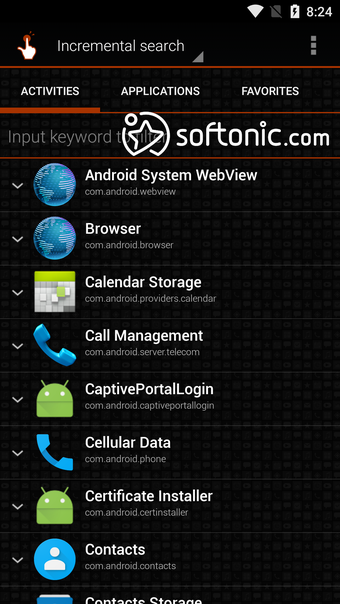
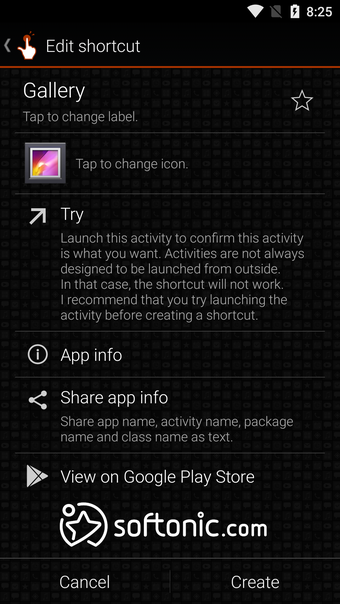
QuickShortcutMaker excels at making the invisible visible. The app’s primary strength lies in its ability to scan your entire device for activities, even those buried deep within system apps, and turn them into accessible icons. Whether you want a one-tap button for your battery usage stats or a direct link to a specific sub-menu in your settings, this tool handles it with impressive speed and a very lightweight footprint.
The level of personalization offered is a refreshing touch for power users and beginners alike. You can modify labels and swap out icons to ensure your home screen remains aesthetically pleasing while staying functional. This flexibility means your most-used tools no longer have to look like generic system folders. Instead, they can be tailored to fit your specific visual style and organizational logic, making navigation feel truly intuitive.
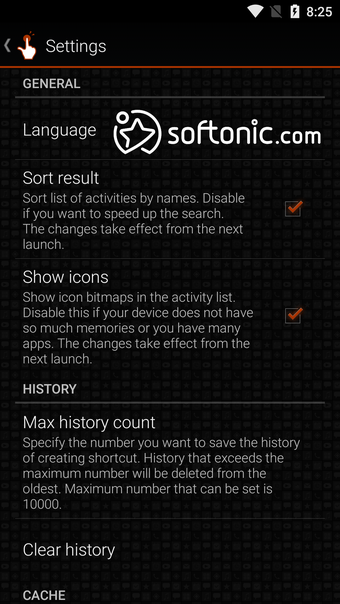
However, the experience isn't without its hurdles, particularly for those on the latest software. Many users have noted that the app hasn't received frequent updates, leading to occasional stability issues or crashes on newer versions of Android. Additionally, the interface feels quite dated compared to modern design standards, which might be off-putting for some. There is also a slight learning curve when navigating the long list of technical activity names.
Reliable tool
Despite its aging interface and the occasional technical hiccup on newer devices, QuickShortcutMaker remains a powerhouse for mobile efficiency. This application effectively eliminates the unnecessary tapping that plagues the standard Android experience. If you value speed and want to dig into the hidden potential of your phone’s settings, this app provides the most direct route possible to your favorite features.


.png)
.png)
.png)
.png)
.png)










-icon.png)

.webp)
.png)